
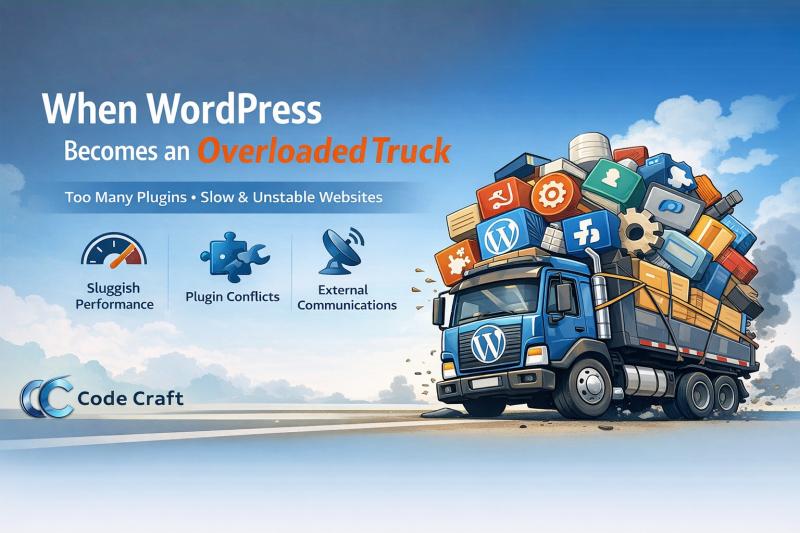
When WordPress Becomes an Overloaded Truck
WordPress is a powerful platform. It’s flexible, widely supported, and perfect for many kinds of websites. But problems begin when it’s used without planning—especially when everything is solved with just one more plugin.
Starting the Journey: A Simple Website Idea
Imagine you want to develop a website. It could be a simple portfolio, a business website, or even a slightly complex system with forms and integrations.
You install WordPress.
You pick a ready-made theme.
Everything looks fine so far.
Then the requirements start coming in.
-
“We need a contact form”
-
“Add SEO”
-
“We want better security”
-
“Let’s add caching”
-
“We need backups”
-
“Can we add this feature too?”
The easiest answer every time?
Install a plugin.
Plugins on Plugins: The Load Keeps Increasing
At first, plugins feel like a blessing. They save time and promise instant functionality.
But slowly, your website starts looking like an overloaded truck:
-
One plugin depends on another
-
Two plugins conflict with each other
-
Updates break existing features
-
Page load time increases
-
Debugging becomes a nightmare
Instead of solving problems at the root level, issues are often “fixed” by adding more plugins—which adds even more weight to the system.
Free Themes and Plugins: The Hidden Cost
Free themes and plugins are not bad by default—but they often come with trade-offs:
-
External scripts calling third-party servers
-
Unnecessary tracking and ads
-
Bloated code written to serve “everyone”
-
Limited control over performance
Many free tools constantly communicate outside your website, affecting:
-
Page speed
-
Core Web Vitals
-
Server load
-
Overall user experience
You may not even realize it’s happening until your site feels slow and unstable.
When Performance and Stability Start Breaking
At this stage, WordPress isn’t the problem.
The approach is.
The site becomes harder to maintain, slower to load, and riskier to update. What started as a simple website turns into a fragile system where one wrong update can bring everything down.
The overloaded truck still moves—but slowly, inefficiently, and with a high risk of breakdown.
The Smarter Way Forward
WordPress works best when:
-
Plugins are selected carefully
-
Core functionality is handled via custom code where needed
-
Themes are lightweight and purpose-built
-
Technology choices are based on real requirements
Not every website needs 25 plugins.
Not every problem needs a plugin at all.
WordPress is like a truck designed to carry a specific load.
If you keep piling on weight without planning, the engine will struggle—no matter how good the truck is.
Choose tools wisely.
Build with intent.
And don’t turn a flexible platform into an overloaded system.